

General downloads
NAV FTP Client v1.1
- Author
- Svend Birk-Hansen
- Category
- General downloads
- Date
- 17/06/2012
- First release
- 14/06/2012
- Size
- 354,58 KB
- Downloads
-
3383
Detailed statistics
- Downloads today 1
- 30 day downloads 12
- Total downloads 3383
- Overall download rank #204 / 2082
- Today page views 1
- 30 days page views 11
- Total views 10012
- Rating

 Detailed statistics
- x 12 85,71%
- x 1 7,14%
- x 0 0%
- x 0 0%
- x 1 7,14%
- Popularity
- Downloaded 8 times in the last two weeks
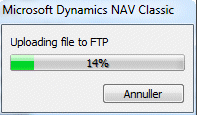
Automation control for Dynamics NAV to Upload and Download files from FTP. Track progress within NAV with a dialog window.
New: Set passive mode, Delete file on FTP and list FTP directoty.
Includes setup.exe for installation.
Ver 1.1
New functions:
DeleteFileOnFTPServer()
ListFTPDirectory()
GetDirectoryList()
New Property
Passive
Sample code:
MESSAGE(NAVFTP.DeleteFileOnFTPServer('home/database.fdb'));

NoOfLines := NAVFTP.ListFTPDirectory('home',FALSE);
IF NoOfLines > 0 THEN
  FOR i := 1 TO NoOfLines DO
    MESSAGE(NAVFTP.GetDirectoryList(i));