

General downloads
RTC Control AddIn “SkypeCall”
- Author
- Jörg Passauer
- Category
- General downloads
- Date
- 21/07/2011
- Size
- 7,96 KB
- Downloads
-
1308
Detailed statistics
- Downloads today 0
- 30 day downloads 12
- Total downloads 1308
- Overall download rank #887 / 2082
- Today page views 0
- 30 days page views 2
- Total views 5411
- Popularity
- Downloaded 5 times in the last two weeks
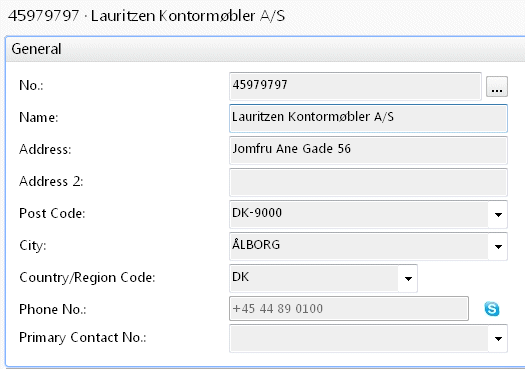
This Control AddIn gives you the possibility to do Skype-Calls from within the Roletailored Client. It extends Text Controls with a Skype Button to dial the Phone Number or Skype Name for making a voice call.
Notes:
- The Phone Number has to contain the Country Prefix (e. g. +44 or 0044 for United Kingdom)
- Skype for Windows has to be installed so that the Tool can work.
Installation Instructions:
- Copy the .DLL-File to the AddIn-Directory (e. g. C:\Program File\Microsoft Dynamics NAV\60\RoleTailored Client\Add-ins)
- Insert a new Record to Table 2000000069 "Client Add-in" with the following values:
"Control Add-in Name": SkypeCall
"Public Key Token": e44e2ec27e697fcb
"Description": SkypeCall
- Assign the Control AddIn to the respective Fields on a Card-Type Page.
Note:
- The Extended Data Type of the Field has to be "None"
Notes:
- The Phone Number has to contain the Country Prefix (e. g. +44 or 0044 for United Kingdom)
- Skype for Windows has to be installed so that the Tool can work.
Installation Instructions:
- Copy the .DLL-File to the AddIn-Directory (e. g. C:\Program File\Microsoft Dynamics NAV\60\RoleTailored Client\Add-ins)
- Insert a new Record to Table 2000000069 "Client Add-in" with the following values:
"Control Add-in Name": SkypeCall
"Public Key Token": e44e2ec27e697fcb
"Description": SkypeCall
- Assign the Control AddIn to the respective Fields on a Card-Type Page.
Note:
- The Extended Data Type of the Field has to be "None"